
-
myLab
-
Services
-
- Acid Number
- Analytical Ferrography
- Base Number: ASTM D2896 vs. D4739
- Crackle Test: Monitoring Water in Used Oil
- Demulsibility
- FTIR Direct Trend Methodology
- Fuel Distillation (ASTM D86)
- ISO Particle Count
- Karl Fischer Water Titration
- Optical Particle Classification (OPC)
- Remaining Useful Life Evaluation Routine (RULER)
- SEM-EDS Wear Debris Analysis
- Total Magnetic Iron (TMI)
- Varnish Potential
-
-
Sampling
-
- Coolant Sampling Procedures
- Grease Sampling Procedures
- Oil Sampling Basics (Short Course)
- Oil Sampling Procedures (Video)
- Oil Sampling Procedures: Good-Better-Best (PDF)
- Sample Collection Basics
- Sampling Oil Using a Drain Plug
- Sampling Oil Using a Pushbutton or KST-Series Valve
- Sampling Oil Using a Sample Pump
- Sampling Oil Using Thread-On Probe Style Valves
- Used Oil Filter Sampling
- Sampling from Filter Carts
-
-
Data Interpretation
-
- Analytical Ferrography Reporting
- Basic Testing Interpretation (PDF)
- Common Wear Mechanisms (PDF)
- Comparison: Wear Debris Analysis Technologies
- DEF Specifications: ISO 22241
- DEF Testing: Data interpretation
- Oil Cleanliness: ISO vs. NAS
- Potential Source of Spectrometry Metals (PDF)
- Reading the OA Report (PDF)
- Understanding ISO Particle Counts (PDF)
- Wear Metal Origins (PDF)
- Why Diesel Fuel Dilution is Bad for Your Engine
-
- Data Interpretation Process (Video)
- Data Interpretation: Compressors (Video)
- Data Interpretation: Diesel Engines (Video)
- Data Interpretation: Grease Analysis for Wind Turbines (VIDEO)
- Data Interpretation: Hydraulics (Video)
- Data Interpretation: Natural Gas Engines (Video)
- Data Interpretation: Oil Analysis for Wind Turbines (Video)
- Data Interpretation: Reducers (Video)
- Data Interpretation: Turbines (Video)
-
-
Whitepapers
-
Success Stories
- Case Study: Early Detection of Bearing Wear
- Rapid Nitrite Depletion in Modern Excavator Cooling Systems: Causes and Solutions
- Unlocking Millions in Maintenance Cost Savings
- Strategic Optimization of Oil Drain Intervals
- The Case for Building Strong Partnerships
- Case Study: Extended Drain Interval
- CARE & Oil Analysis for Early Detection of Issues
- Fuel Dilution of Engine Oil in Mining Dozer
- Early Detection of Wear Metals in Gearbox
- Coolant Contamination in Dozer Engine Oil
-
FAQ
-
Release Notes
< All Topics
Print
Granting Access to Data for External Vendors
Posted
Updated
ByFluid Life
Fluid Life customers can allow their external vendors (i.e. equipment OEM’s, oil suppliers, etc.) to have access to their results. This would allow them to view test results on the web portal, and also receive email notifications on new samples.
Fluid Life’s policy around access to results is as follows:
- The customer that pays for the testing owns the data.
- All requests for access to the data should be directed to a customer contact with admin permissions or Fluid Life (with written permission from customer)
Customer contacts with administrative permissions:
- Have visibility to all vendor contacts with access to results
- Can add or remove access to individual vendor contacts as needed
- Can setup data filters to restrict vendor access (i.e. specific accounts, unit areas, equipment types, or oil brands)
To Add a Vendor Contact
- From the main menu, select “Account”
- Select “Administration” – this option is only available to individuals with Administrative permissions
- Select “Manage Users”
- Select “Add User” button found at the bottom left of the screen
- Type in the new user email, click “Next” and “Yes”
- Configure the new user account and select the Customer, Unit Area, and Unit Type they can view by selecting the “Data Filters” tab (this will limit the data sets this user has access to)
- Click “Send Invitation”
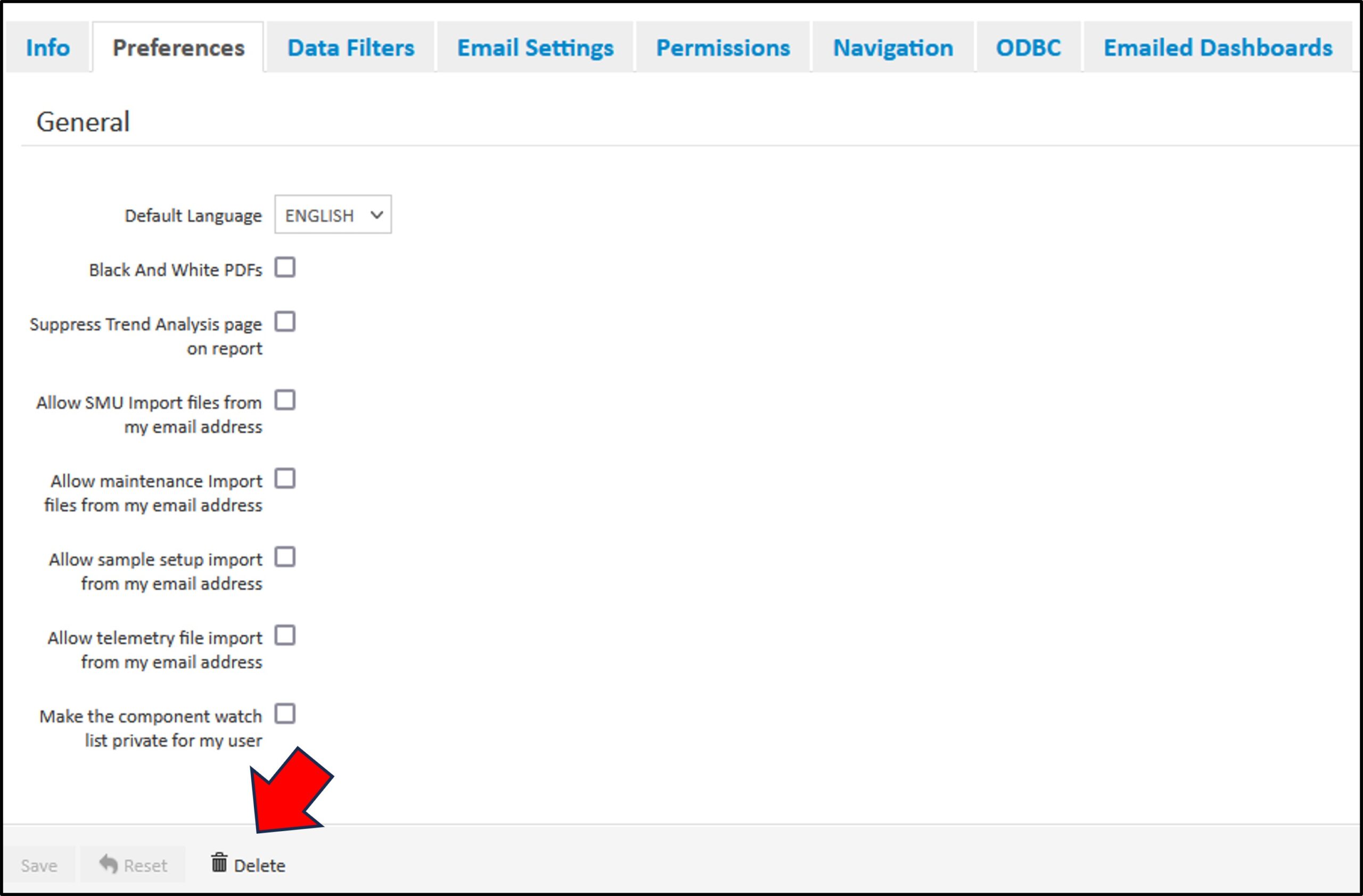
Deleting Users
- From the main menu, select “Account”.
- Select “Administration” – this option is only available to individuals with Administrative permissions.
- Select “Manage Users”.
- Select the user you want to delete.
- Click “Delete” at bottom of screen.
Requesting Access
Vendor Contacts who would like to request access:
- Please contact your customer contact with administrative permissions in the myLab portal to be set up in the system
- If assistance is needed, please contact Fluid Life at 877-962-2400
- NOTE: Fluid Life can set this up, but would require written permission from the customer admin contact.
Additional Resources
Article: Managing Users
Table of Contents
